


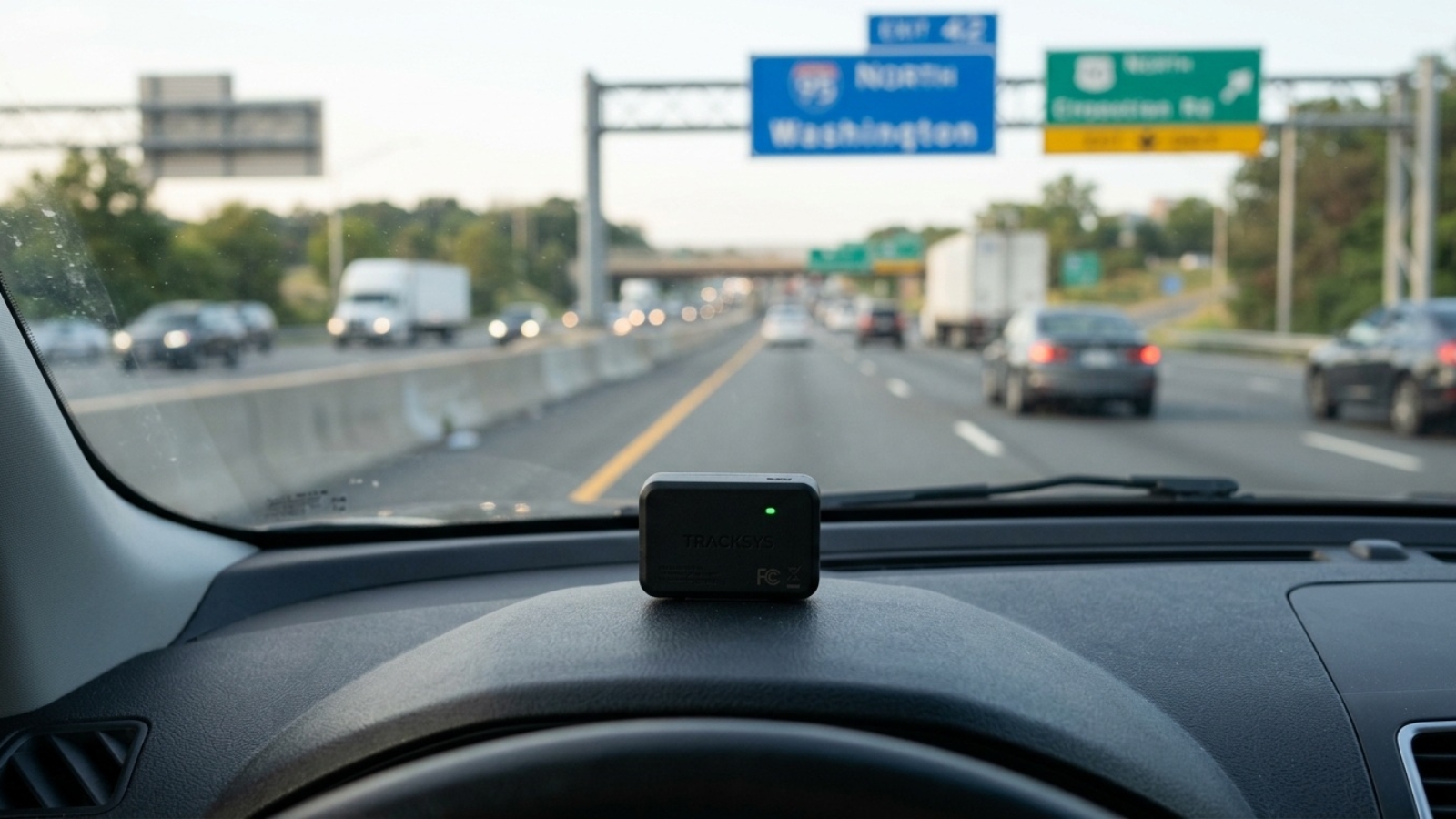
Best GPS Tracker for Car in the USA: Complete Buying Guide
Vehicle theft in the United States has climbed sharply over the past few years, and insurance premiums have followed. At the same time, more parents, small fleet owners, and everyday drivers are realizing that a $30–$150 GPS tracker can save them thousands of dollars — not just in a worst-case theft scenario, but in everyday peace of mind. If you’re shopping for the best GPS tracker for a car in the USA, this guide breaks down exactly what to look for, which types of trackers make sense for which situation, and where to start if you’ve never bought one before.
Why More U.S. Drivers Are Adding a GPS Tracker
Three trends are driving the surge in GPS tracker adoption across the USA this year. First, auto theft rates in several major metro areas remain well above pre-2020 levels, pushing insurers to offer discounts for vehicles with active tracking. Second, teen driver monitoring has become mainstream — parents want speed alerts and geofence notifications, not just a dot on a map. Third, small business owners running delivery vans, landscaping trucks, or rideshare fleets need a low-cost way to confirm routes and reduce fuel waste without paying for a full enterprise fleet system.
If you’re comparing devices for a personal vehicle versus a small business fleet, it’s worth reading our GPS tracker guide for company cars alongside this one, since fleet buyers usually weigh a slightly different set of features.
Types of GPS Trackers Available in the USA
- 🔌 OBD-II plug-in trackers — plug directly into your car’s diagnostic port. No wiring, no battery to charge, and many pull extra data like engine fault codes and fuel usage. Best for daily drivers you already have easy access to.
- 🔧 Hardwired trackers — wired straight into the vehicle’s power source, hidden behind a panel or under the dash. These never run out of battery and are much harder for a thief to find, making them the top choice for anti-theft use cases.
- 🧲 Magnetic battery-powered trackers — stick to the undercarriage with a magnetic case. No installation needed, fully portable between vehicles, but battery life (anywhere from a few weeks to several months) becomes the main trade-off.
- 📦 Personal/asset trackers — smaller devices meant for bags, trailers, equipment, or even pets, often reusing the same cellular network as car trackers.
Subscription vs. No-Monthly-Fee Trackers: Which Should You Choose?
| Type | Best For | Typical Cost |
|---|---|---|
| Subscription (4G) | Theft recovery, long-distance fleet monitoring, real-time alerts | $10–$25/month |
| No-monthly-fee | General location awareness, city driving, budget-conscious buyers | $0 after purchase |
Subscription (cellular) trackers use a built-in SIM card on a 4G/LTE network to send live location data anywhere there’s cell coverage — even across state lines or the whole country. You’ll get true real-time tracking, geofencing alerts, and history logs.
No-monthly-fee trackers typically rely on Bluetooth plus crowd-sourced networks (similar to how Apple’s Find My network works) or a one-time-activated low-power connection. They’re significantly cheaper to own long-term but usually update location less frequently.
Key Features to Check Before You Buy
- Update frequency — some trackers report every 3–5 seconds, others only every few minutes. Faster updates matter more for theft recovery and teen driving alerts.
- Battery life — ranges from a week on tiny personal trackers to 6+ months on dedicated magnetic car trackers. Hardwired and OBD trackers avoid this issue entirely.
- Geofencing and speed alerts — essential if you’re monitoring a teen driver or an employee vehicle.
- Waterproofing and build quality — magnetic under-car trackers are exposed to rain, road salt, and temperature swings, so an IP65+ rating matters.
- App usability — a cluttered or unreliable app defeats the purpose of real-time tracking. Check recent App Store/Play Store reviews before buying, not just the product listing.
- Network coverage — confirm the tracker uses an active LTE-M or 4G network in your state.
Top GPS Tracker Types for U.S. Drivers Right Now
- For theft recovery: a hardwired or magnetic 4G tracker with sub-10-second update speed and a lifetime-warranty option gives law enforcement the fastest, most reliable location data.
- For teen or new drivers: an OBD plug-in tracker with speed alerts and driving-behavior scoring is the easiest to install and monitor without touching the car’s wiring.
- For budget-conscious owners: a no-monthly-fee magnetic tracker keeps ongoing costs at zero, especially useful for a second vehicle or a car that’s rarely driven long distances.
- For small fleets: look for a device with a business dashboard, multi-vehicle view, and exportable trip/fuel reports rather than a consumer-focused single-car app.
For a closer look at OBD-style plug-in options specifically, our Concox OB22 OBD tracker review covers how plug-and-play voice-enabled tracking works in practice, and our full GPS tracker buying guide walks through general vehicle-tracking fundamentals if you’re brand new to this.
How Much Should You Expect to Pay?
Budget no-subscription magnetic trackers typically start around $20–$40. Mid-range 4G trackers with a monthly plan run $25–$60 upfront plus a $10–$25 monthly fee. Hardwired professional-grade units with lifetime warranties and no-fee lifetime plans can run higher upfront but eliminate recurring costs entirely. For most personal-vehicle buyers, a $30–$50 device with a $15/month plan hits the sweet spot between real-time accuracy and long-term cost.
Final Thoughts
The right GPS tracker for your car in the USA depends far more on your use case than on any single “best” product. Theft-prevention buyers should prioritize update speed and discreet hardwired installation. Parents should prioritize driving-behavior alerts. Budget-focused owners should lean toward no-monthly-fee magnetic trackers. Whichever direction you go, confirm the device runs on an active U.S. LTE network before buying, and check real app reviews — the hardware rarely fails first; the software experience usually does.
Add a Comment